
Vecorder1.2 - Google Play
You'll be able to see results in few seconds.
Publisher Description
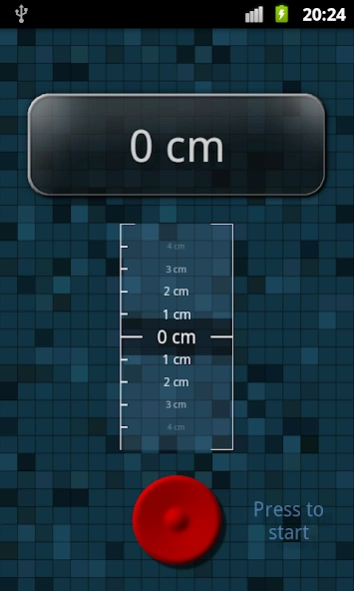
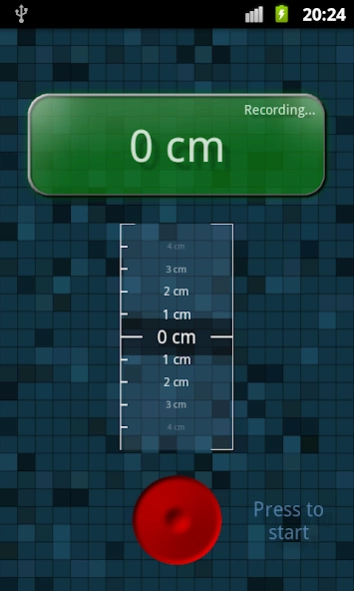
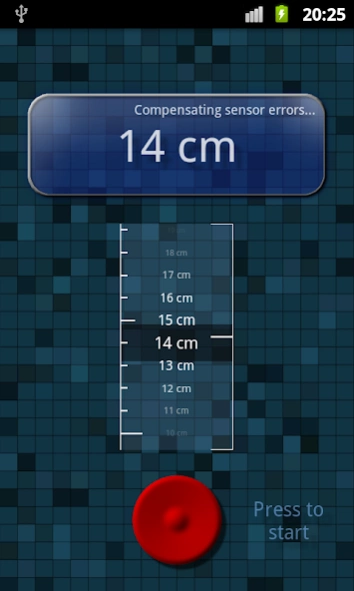
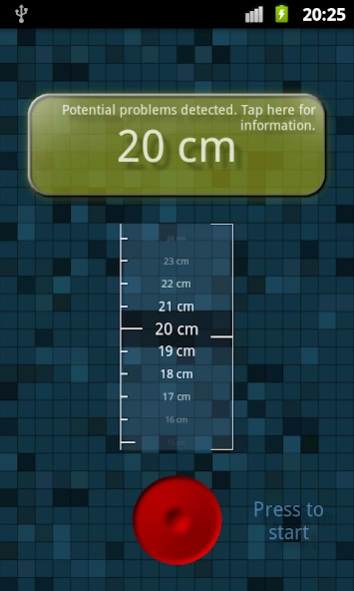
Scan objects for their vertical height with your built-in acceleration sensors!
Impress your friends by showing them how smart your smart phone can be! Use this app to estimate the height of objects by using the built-in acceleration sensors of your device. View the demonstration video to get an impression of the mechanics of this tool!
The Vecorder (
V
ertical
E
xtent Re
corder
) is a tool to scan objects for their vertical height. Move the device along the object bottom-to-top (or vice versa) to perform a height scan. Note that the accuracy of the scan is dependent on the acceleration sensor accuracy of your device and the user input. Though the Vecorder contains techniques to compensate sensor errors it is vital to conform to some rules to obtain satisfying results:
1.
Try to move your device smoothly but determined straight from the start to the end position with well-defined acceleration impulses.
2.
Avoid acceleration spikes e.g. by dropping the device or hitting it on other objects. Even slight hits can reduce the accuracy significantly!
3.
Only move vertically (along or contrary to the force of gravity).
4
. Do not change orientation of the device while performing a scan.
5
. Try to keep the recording phase as short as possible (typically several seconds) to reduce error-accumulation of the acceleration sensors.
By following these rules the typical relative error rate of scans range between 1cm and 5cm per 1 meter. If your device exhibits deviating error rates or if you have other comments or suggestions please write a feedback to vecorder@mathfactorysoftware.com with your device model included.
Vecorder Procedure Description
The recording procedure consists of several phases:
Phase 1 (Initial Position Averaging Phase)
: Steady your device at the initial record position and hold it until the start signal occurs.
Phase 2 (Recording Phase)
: Move your device vertically up or down to the record end position. See above for accuracy improvent tips in this phase.
Phase 3 (End Position Averaging Phase)
: Steady your device at the end position of the recording until the end signal occurs.
Phase 4 (Error Compensation Phase)
: Potential errors of the recording will be detected and the result will immediately be compensated.
About Vecorder
The company that develops Vecorder is Mathfactory. The latest version released by its developer is 1.2.
To install Vecorder on your Android device, just click the green Continue To App button above to start the installation process. The app is listed on our website since 2014-03-02 and was downloaded 0 times. We have already checked if the download link is safe, however for your own protection we recommend that you scan the downloaded app with your antivirus. Your antivirus may detect the Vecorder as malware as malware if the download link to de.mathfactory.vecorderfree is broken.
How to install Vecorder on your Android device:
- Click on the Continue To App button on our website. This will redirect you to Google Play.
- Once the Vecorder is shown in the Google Play listing of your Android device, you can start its download and installation. Tap on the Install button located below the search bar and to the right of the app icon.
- A pop-up window with the permissions required by Vecorder will be shown. Click on Accept to continue the process.
- Vecorder will be downloaded onto your device, displaying a progress. Once the download completes, the installation will start and you'll get a notification after the installation is finished.
Program Details
System requirements
Download information
Pricing
Version History
version 1.2
posted on 2014-03-02
v1.2:,- Added options to chose metric or imperial unit system (m, cm or yd, ft, in),- Enabled copy-to-SD-card,- Improved idle detection to reduce likelihood of "runaway" readings,- better support for small screen sizes,v1.1:,- Shortened start signal to prevent acoustic interference on acceleration sensors
version 1.1
posted on 2013-05-20
Several fixes and updates
Disclaimer
Official Google Play Link
We do not host Vecorder on our servers. We did not scan it for viruses, adware, spyware or other type of malware. This app is hosted by Google and passed their terms and conditions to be listed there. We recommend caution when installing it.
The Google Play link for Vecorder is provided to you by apps112.com without any warranties, representations or guarantees of any kind, so access it at your own risk.
If you have questions regarding this particular app contact the publisher directly. For questions about the functionalities of apps112.com contact us.
